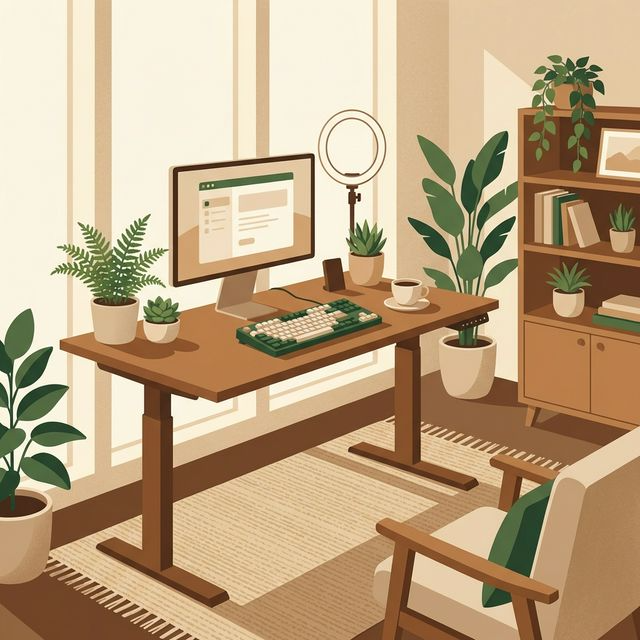
What Is a True Ergonomic Setup?
The word “ergonomic” has been completely hijacked by marketing departments to sell expensive, weirdly shaped plastic. A true ergonomic setup is deeply boring and highly mathematical. It simply means that your physical environment is explicitly aligned with the natural mechanics of your skeleton. Specifically, it means three distinct physical alignments must exist simultaneously: 1. The Eyes: The top third of your monitor must be exactly at eye level, forcing your neck into a neutral, non-tilted position. 2. The Arms: When typing, your elbows must rest at a 90-degree angle, with your forearms perfectly parallel to the floor, placing zero strain on the shoulders. 3. The Legs: Your feet must be flat on the floor, and your knees must also form a 90-degree angle, preventing circulation cutoff in your thighs. If a ₹300 plastic chair and a cardboard box achieve these three geometric parameters perfectly for your specific height, that is a true ergonomic setup. You do not strictly need a ₹1,00,000 chair if you understand the geometry.
Why It Is Critical for Knowledge Workers in 2026
In 2026, the primary occupational hazard for the average professional is no longer heavy machinery or chemical exposure; it is the chair. We are sitting for an unprecedented 10 to 12 hours a day. The human spine was explicitly evolved for persistent, upright locomotion, not for folding into a static “C” shape over a 14-inch glowing rectangle. The physical debt accumulated by a bad setup is catastrophic and compounds silently. What starts as a “slight tightness” in the neck at age 25 rapidly evolves into severe, chronic L4/L5 disc herniation by age 32. Investing in a proper home office is not about creating a cool background for your Zoom calls. It is a highly necessary, defensive medical investment. It protects your primary asset—your physical ability to sit and perform cognitive labor without being distracted by intense, chronic pain.
Step-by-Step Framework: Sourcing the Setup in Delhi
Here is the exact framework and the specific budget breakdown I used to acquire the essentials within the ₹40,000 limit. ### 1. The Core: The Desk (Budget: ₹8,000) A desk only needs to be sturdy, deep enough (at least 24 inches), and strictly standard height (29 inches). Do not buy cheap, wobbly engineered wood from heavy e-commerce sites. Head to Panchkuian Road or Kirti Nagar in Delhi. You can commission a custom-built, solid Sheesham wood top with heavy-duty metal legs for around ₹8,000. It will outlast your career. ### 2. The Spine Saver: The Chair (Budget: ₹12,000) This is where 30% of your budget goes. Do not buy a “Gaming Chair.” They look like race car seats but offer terrible lumbar support. Head to Munirka or Kirti Nagar and look specifically for authorized dealers of mid-tier Indian ergonomic brands (like Featherlite or Greensoul). Look for three non-negotiable features: adjustable lumbar depth, 3D armrests, and a sliding seat pan. I secured a commercial-grade mesh chair with a 3-year warranty for ₹11,500. ### 3. The Monitor (Budget: ₹12,000) Working entirely on a 13-inch laptop destroys both your neck (looking down) and your eyes (squinting). You need a 24-inch or 27-inch external monitor. In this budget, aim for a 1080p or 1440p IPS panel with a 75Hz refresh rate from reliable brands like LG, BenQ, or Dell. Wait for an Amazon or Flipkart major sale event; you can easily snag a brilliant 27-inch IPS display for exactly ₹12,000. ### 4. The Peripherals (Keyboard/Mouse) (Budget: ₹4,000) Laptops keyboards force your hands uncomfortably close together, rolling your shoulders inward. Buy an external wireless keyboard and mouse. You do not need expensive mechanical switches. A highly reliable, comfortable combo like the Logitech MK850 or the MX Keys Mini (on sale) drastically improves wrist posture for under ₹4,000. ### 5. Lighting and Organization (Budget: ₹4,000) Staring at a bright screen in a dark room causes severe eye strain. You need “bias lighting” (a warm light placed behind the monitor). A simple ₹500 LED strip from Nehru Place stuck to the back of the monitor resolves this. Spend the rest on a solid monitor arm (₹2,500) to reclaim desk space and achieve perfect eye-level height, and ₹1,000 on velcro ties and an under-desk wire basket to eliminate cable clutter. Total Spent: ₹40,000 exactly.
Real-Life Example: The Kirti Nagar Furniture Hunt
My experience sourcing the chair illustrates perfectly why buying locally beats ordering blindly online. I had identified a highly rated ₹15,000 ergonomic chair on Amazon. However, understanding that a chair must fit your specific skeletal length, I refused to order it without sitting in it. I spent a grueling Saturday walking through Kirti Nagar, Asia’s largest furniture market. I walked past the massive, flashy showrooms displaying Italian leather sofas and actively searched for the smaller, dusty warehouses specializing explicitly in generic “office system furniture.” I finally found a wholesaler supplying chairs to corporate offices in Gurgaon. I sat in roughly fifteen different models, aggressively adjusting the seat pans and armrests. The most comfortable chair was surprisingly a relatively plain-looking mesh model. Because it was a generic commercial model lacking a stamped “premium brand” logo, the wholesaler offered it for ₹11,500 cash. It was vastly more comfortable and sturdier than the ₹15,000 online model I had almost purchased blindly. The friction of the physical hunt saved me thousands while improving the outcome.
Common Mistakes in Buying Office Gear
When outfitting your space, avoid these heavily marketed, highly expensive financial traps: * Buying the “Gaming” Aesthetic: Gaming chairs are designed to look aggressive on Twitch streams. They feature heavy bucket-seat bolsters that actively prevent natural shoulder movement and use cheap faux leather that causes intense sweating in Indian summers. Always buy breathable mesh. * The “Standing Desk” Fantasy: People buy electric standing desks believing it will cure their back pain, stand for three days, get exhausted, and sit for the rest of the year. Save the ₹25,000. Buy a fixed desk, and simply set an alarm to walk around your house for two minutes every hour. * Ignoring Monitor Arms: Using the default stand that comes with your monitor usually leaves the screen 3 inches too low, forcing a neck tilt. A basic ₹2,500 hydraulic gas-spring monitor arm instantly fixes this and makes the desk feel twice as large. * Buying Audio Equipment First: Prioritizing expensive studio monitors or high-end microphones over a good chair. Nobody cares how crisp your voice sounds on Zoom if you are visibly grimacing in pain from sciatica. * Placing the Desk Facing a Wall: Staring at a blank wall 24 inches from your nose for 9 hours is incredibly claustrophobic and ruins your distance vision. Whenever possible, position the desk perpendicular to a window, providing natural side-lighting and the ability to look out and relax your eye muscles.
Expert Tips for Budget Ergonomics
If you want to maximize comfort without spending further, deploy these highly effective, free (or nearly free) adjustments: ### The Towel Lumbar Hack If you are stuck with a terrible chair while saving for a good one, roll up a standard bathroom towel into a tight cylinder. Place it horizontally across the chair exactly where the natural curve of your lower back sits. It forces your spine into vertical alignment and provides immediate, cheap relief. ### The 20-20-20 Rule You do not need expensive blue-light blocking glasses. Your eyes strain because they are locked at a fixed focal distance. Set a strict timer: every 20 minutes, look at an object at least 20 feet away, for a full 20 seconds. This allows the ciliary muscles in your eyes to completely relax. ### Fix The Lighting Ratio Ensure the brightness of your monitor roughly matches the overall brightness of the room. If the monitor looks like a harsh spotlight, turn down the brightness or turn up the room lights. Contrast causes massive fatigue. ### The Under-Desk Footrest If your desk is slightly too high for your chair (common if you are under 5’9″), your feet will dangle, creating pressure behind your knees. Do not buy a ₹2,000 plastic footrest. A thick dictionary, a sturdy cardboard box, or a ream of printer paper wrapped in tape serves the exact same physiological purpose for free.
Frequently Asked Questions (FAQ)
1. Do I really need an external monitor if I have a 15-inch laptop? Absolutely, unequivocally yes. It is physiologically impossible to look at a laptop screen without tilting your neck dangerously downward. A laptop on a desk is an ergonomic disaster. If you refuse to buy a monitor, you must buy a laptop stand to elevate the screen, and use an external keyboard. 2. Are second-hand premium chairs (like Herman Miller) worth it? If you can find a legitimate, authenticated used Herman Miller Aeron from an office liquidation for under ₹40,000, buy it instantly. They mathematically outlive three cheap chairs. However, beware of massive volumes of counterfeit “premium” chairs flooding local resale markets. 3. What is the best desk depth for a dual-monitor setup? If you plan to use two 24-inch or one 27-inch monitor, an 18-inch deep desk will put the screens dangerously close to your face. You require an absolute minimum desk depth of 24 inches, though 30 inches is optimal for providing adequate forearm resting space. 4. How do I survive working from a bed or sofa? You don’t. Working from soft furniture guarantees spine compression. If you absolutely lack the space for a dedicated desk, buy a highly rigid dining chair and a wall-mounted, fold-down desk. Never work from a mattress. 5. Is the Nehru Place market safe for buying electronics? Nehru Place remains excellent for cables, generic LED lights, and specific components. However, for major warranty-backed items like an expensive LG monitor, purchasing from authorized local dealers or reputable online platforms (during sales) is vastly safer to ensure you receive a legitimate, non-refurbished unit.
Final Action Plan
Stop accepting chronic back pain as a normal part of your job. If you want to dramatically upgrade your workspace within a strict budget, follow this plan: 1. Today: Perform an immediate ergonomic audit. Adjust your current chair height so your feet are flat. If your screen is too low, stack a pile of books under your laptop right now. 2. This Weekend: Do the offline legwork. Visit a major commercial furniture hub (like Kirti Nagar). Sit in at least ten generic, mid-tier mesh chairs. Find one that physically locks your lower back in place. 3. Next Week: Wait for the specific “Deal of the Day” on an e-commerce site for a 27-inch IPS monitor. 4. The Rule: Do not buy unnecessary “aesthetic” items (plants, neon signs, expensive mousepads) until the Big Three (Desk, Chair, Monitor) are fully secured and geometrically aligned to your skeleton.
Strong Conclusion
Building a professional, highly ergonomic home office is not a luxury reserved for massive tech company executives. It is a fundamental necessity for anyone relying on a laptop to generate an income. You do not need to spend ₹1,500,000 on branded, imported office furniture to protect your spine. By understanding the core geometry of ergonomics, ignoring the superficial “gaming” aesthetics marketing, and leveraging the massive, highly competitive wholesale markets available in cities like Delhi, immense comfort is entirely achievable on a tight budget. Every rupee you spend optimizing your chair and screen height pays a massive dividend in increased daily focus, eliminated physical distractions, and the long-term avoidance of highly expensive physiotherapy bills. Stop working from your sofa. Go find the right chair, elevate your monitor, and invest exactly ₹40,000 into the machinery that protects your most valuable asset: your health and your ability to work.